On some operating systems (specifically non updated) it can happen, that due to missing latest certificates the certificate chain can fail and you will not be able to update BC Vault firmware or desktop application. This can be resolved by importing the missing intermediate certificate.
The missing intermediate certificate is Sectigo Public Server Authentication CA DV R36 (Serial Number: 39 7A 66 CC 27 56 36 2E 0D AA 87 CA 6E AB E3 B1). Available from Sectigo directly here (Source: https://www.sectigo.com/faqs/detail/Sectigo-Public-Intermediates-and-Roots).
Example on how to add the certificate in MS Windows:
- Download the above certificate and save it to a file (for example: ca.crt).
- Run Windows Certificate Manager -> "certmgr" (Manage computer certificates):
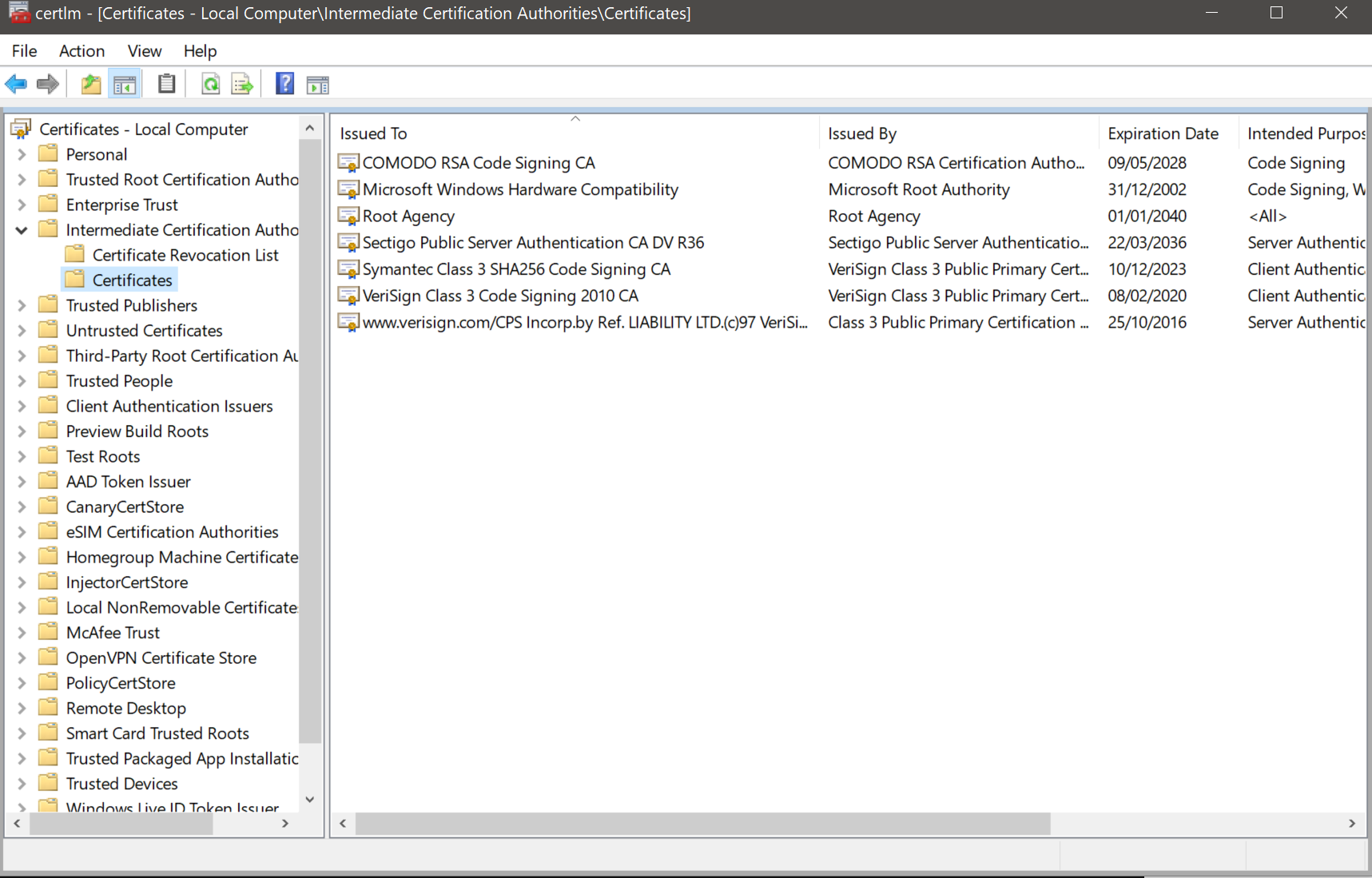
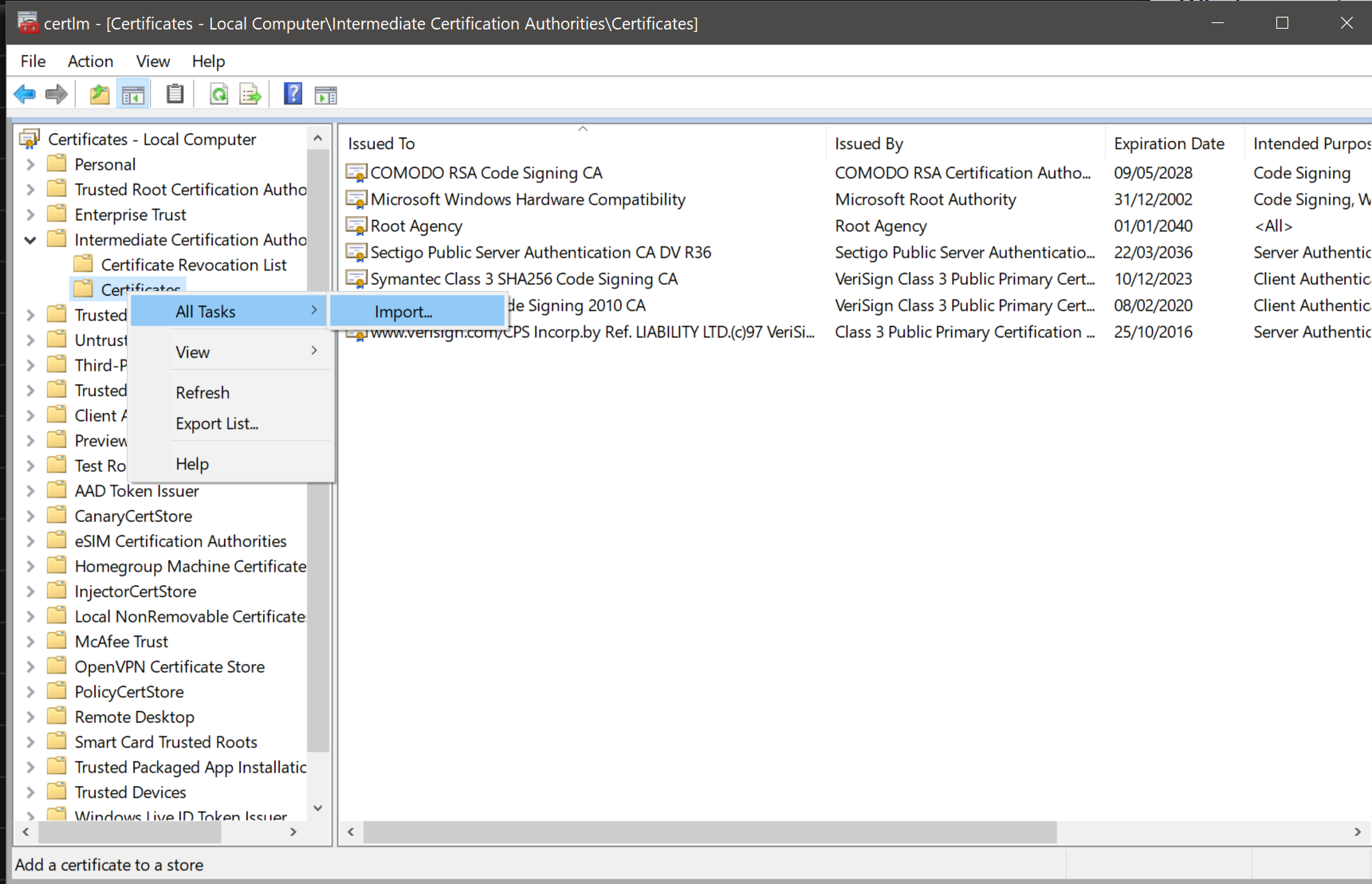
- Go to "Intermediate Certification Authorities", right click on "Certificates" and select "All tasks > Import...":
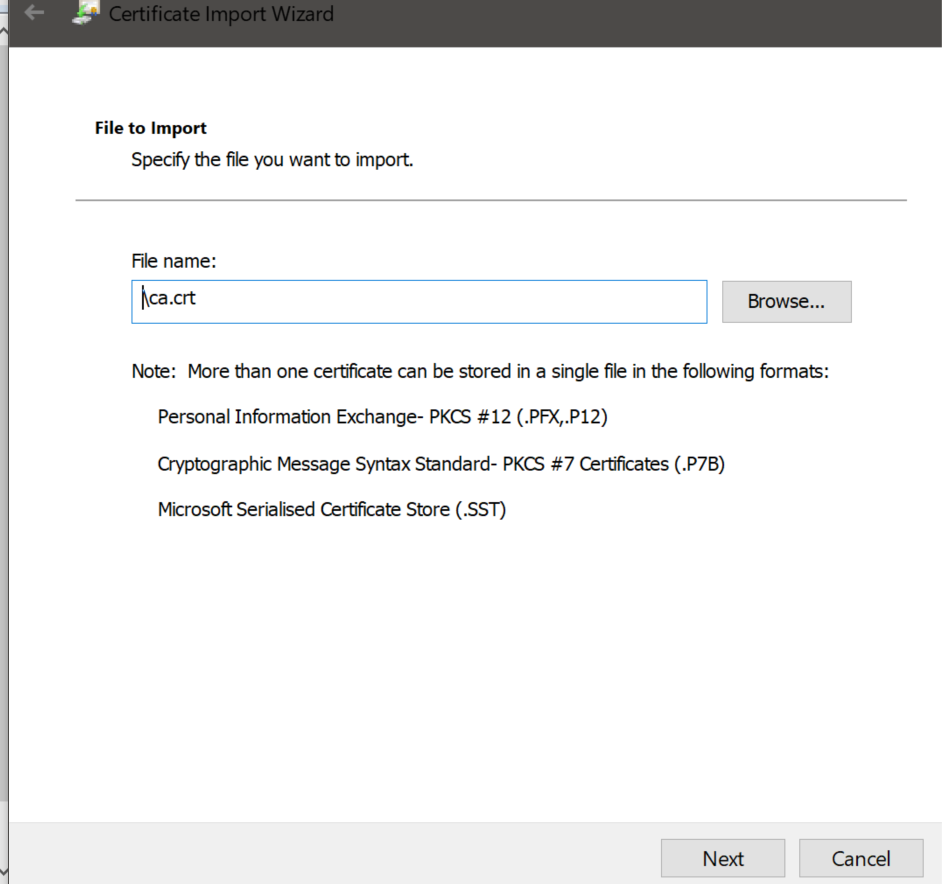
- On the Import Wizard click "Next" and select the certificate file you have downloaded from above link (in this example it is called ca.crt" and click "Next":
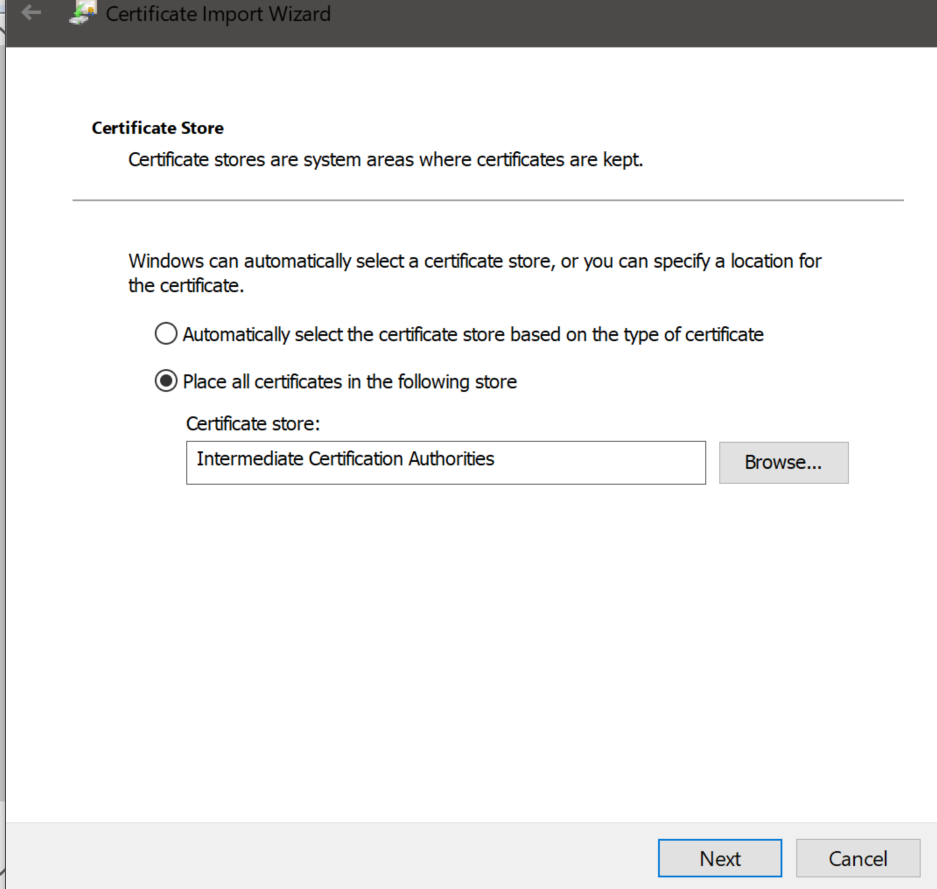
- Select "Place all certificates in the following store" and select Certificate store: "Intermediate Certification Authorities" as destination and click on "Next":
- The certificate "Sectigo Public Server Authentication CA DV R36" should now be visible under "Intermediate Certification Authorities/Certificates".
How to add certificate in macOS:
https://discussions.apple.com/docs/DOC-250009933
Was this article helpful?
That’s Great!
Thank you for your feedback
Sorry! We couldn't be helpful
Thank you for your feedback
Feedback sent
We appreciate your effort and will try to fix the article